
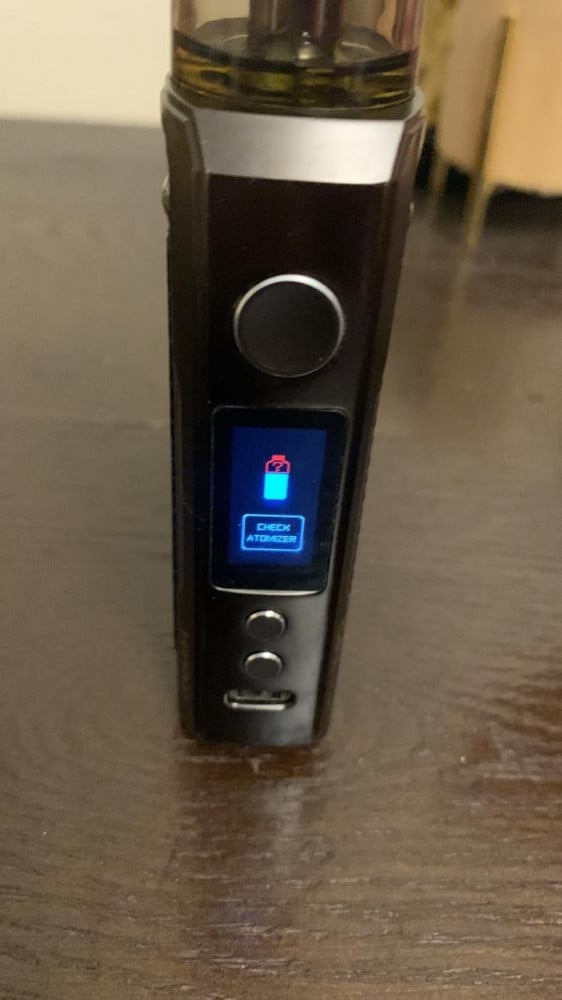

The problem of the appearance of the Check Atomizer message from the tank is one of the most common problems for users of mods or electronic hookahs, and in this article we will try to explain the most important ways to solve this problem gradually.
The reason for the appearance of the message is due to two reasons, either the problem is from the mod (the device itself) or from the tank (the head). To determine the problem accurately, there is a quick solution, which is to transfer the entire tank to another device and try using the tank on the other device.
- If it works without any error message, then in this case the problem is from the mod itself, and in this case we will look at the solutions to fix the problem of the mod
- If the tank does not work on the other device, then in this case the problem is from the tank, and in this case we will look at the solutions to fix the tank problem
Let's start with the proposed solutions step by step:
1) Clean the tank bolt to ensure the connection
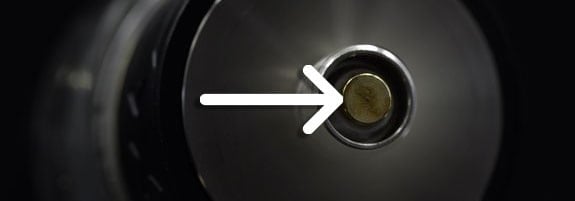
It is also known that vaping devices contain electronic parts and the presence of flavored liquid in the connectors affects the proper functioning of the devices.
Clean the connection point on the tank (screw) well using dry wipes and make sure to remove any accumulated layer of dust or flavor to allow the current to reach well.
2) Clean the connection point on the device to ensure connection
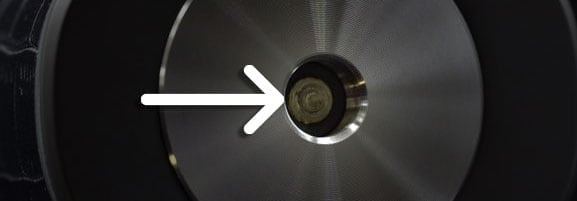
Clean the attachment point to which the tank screw is connected with dry wipes and well, and make sure that there are no accumulations or liquids in this area
3) Ensure that the tank is properly installed with the device

Ensure that the tank nail is well connected to the device, as sometimes with use the fixing nail becomes not attached to the end and this certainly prevents the electric current from reaching well
4) Ensure that the coil is installed inside the tank
Make sure that the coil is well installed and in its correct place inside the tank, and we advise you to change the coil if the error message appears, because it may have been burned and it is time to change the coil.
5) Reset the mod
It is also preferable to reset the mod to factory settings, and in the event that there are external batteries, that they be completely removed so that the shipments are completely discharged and re-installed.
If you are using rebuildable tanks such as RDA / RTA / RDTA tanks, follow these steps:
- Confirm whether the coil value you built is too low, if the coil resistance is too low, some mods will display an error message. This is a security feature on some devices and is there to keep you safe.
- Check that the wire terminals are properly fitted by tightening the screws properly. Check the build plate and coil carefully for any loose wires.
- Make sure the coil is installed correctly, this may seem obvious or counterintuitive but should always be checked. You may think you have installed the coil correctly but some building panels can be a bit complicated and confusing.
- Does the coil touch the build plate? If the ends of the coil are touching the build plate, it could lead to a short circuit and thus error messages appearing on your vape.
Here are some suggested explanations